
Material Handling & Ports
A terminal is one long interlocked machine, and the business system writes into it.
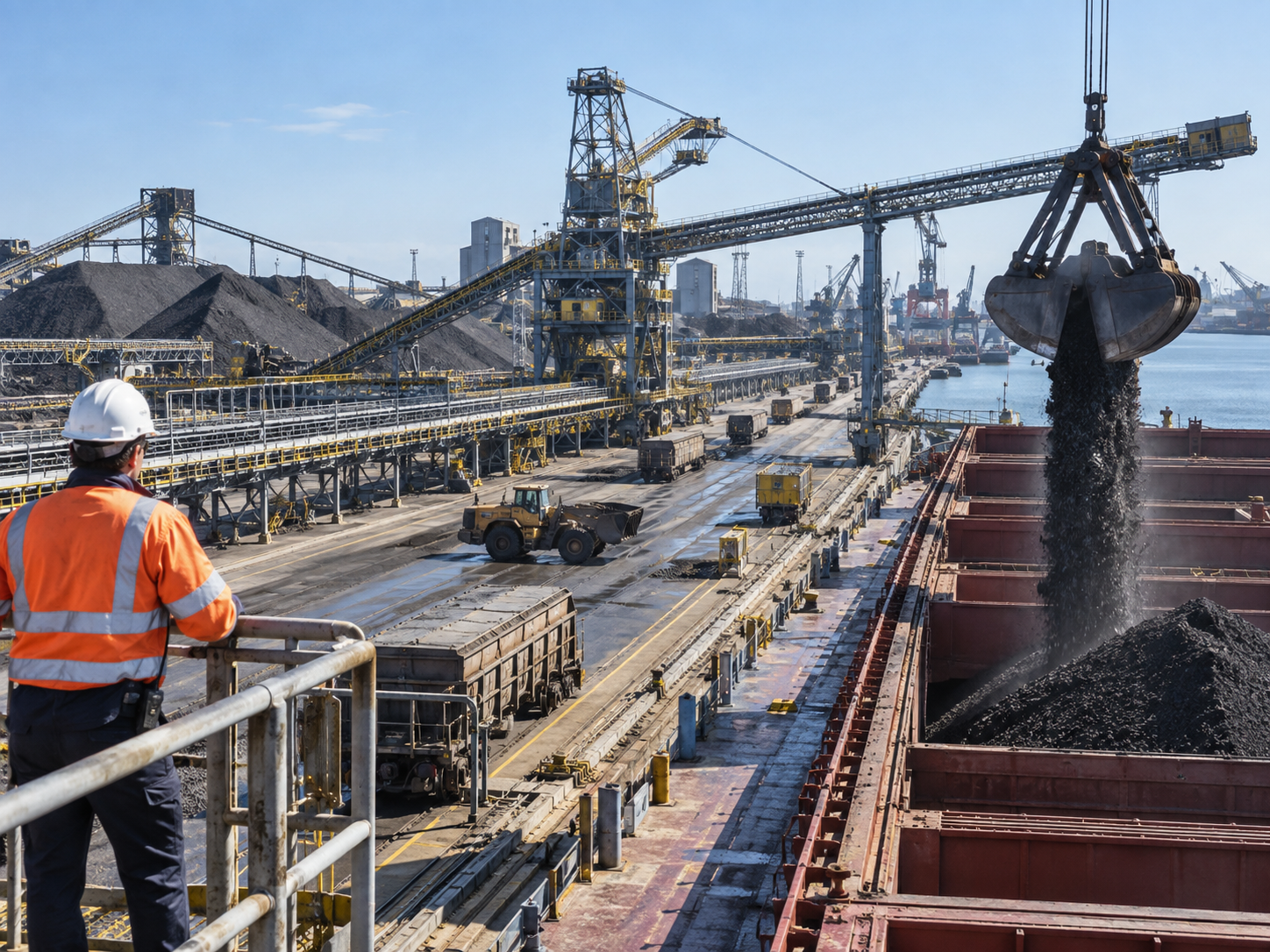
From ship unloader to stockpile, a bulk terminal is a continuous chain of moving equipment where stopping any part stops the vessel. The assurance question is what is allowed to issue a command into that chain, and over what.
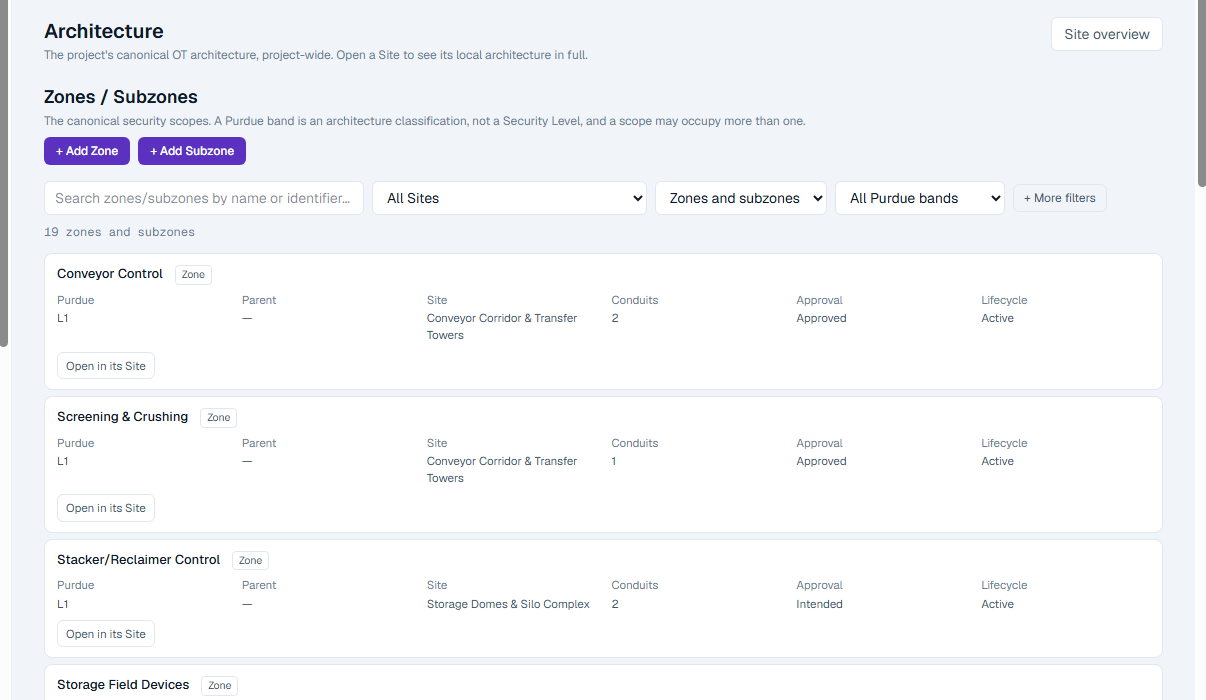
- Ship-to-shore equipment, conveyor lines and yard systems as canonical zones
- The terminal operating system's path into control, written down as channels
- Multiple OEMs modelled as what they are: several standing routes into one estate
- IEC 62443 and NIS2 answered from one estate
Understand the environment
The chain is the asset.
A bulk terminal does not have independent machines. The unloader feeds a hopper, the hopper feeds a quay conveyor, the conveyor feeds a transfer tower, and every one of them is interlocked with the next. An interruption anywhere is an interruption everywhere, and vessel time is the expensive thing.
That shape changes what a security question means. Segmentation is constrained by an interlock that has to work; a conveyor PLC cannot be isolated from the machine before it. What can be established is which paths are able to influence the chain, what those paths carry, and whether the control layer would refuse an unsafe instruction.
The other defining feature is convergence. The terminal operating system is a business system that issues routing decisions into control, and OEM maintenance is a standing arrangement with several separate vendors, each with their own way in.
- Interlocked equipment where isolation is limited by design
- Ship-to-shore machinery maintained by its original manufacturer
- A business system with a genuine path into control
- Distributed outdoor equipment with local cabinets and long cable runs
Terminology
What OTReady calls things here.
- Site
- The quay, the yard, the workshop. Physical grouping only.
- Zone and Subzone
- Terminal SCADA, control room, engineering, unloader, conveyor lines, screening plant. Equipment with its own target becomes its own zone.
- Conduit
- SCADA to conveyor control; the DMZ to engineering. The relationship carries the required Security Level.
- Communication Channel
- The routing command, the equipment telemetry, the OEM session, the log feed. Each with its own protocol, direction and encryption state.
- OT Domain
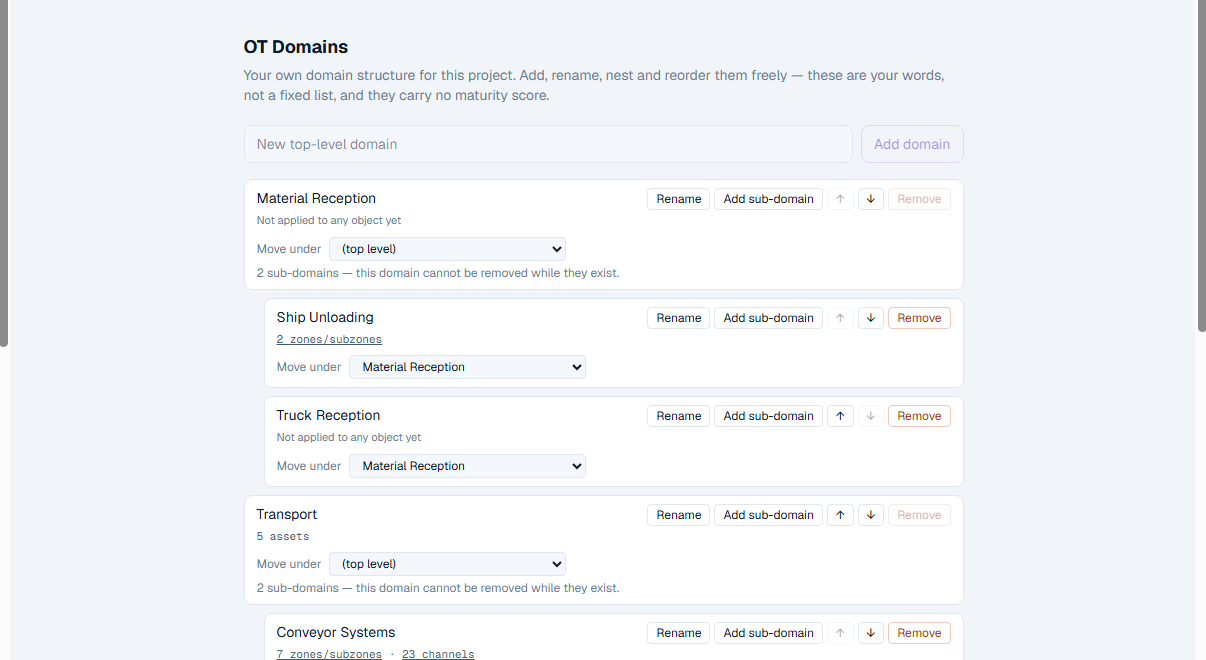
- Vessel operations, conveying, stockyard, maintenance. The terminal's own functional vocabulary.
OT Domains
Function is not architecture, and the terminal needs both.
"Everything that serves vessel discharge" and "everything inside the conveyor zone" are different questions with different answers, and a terminal has to ask both. OT Domains carry the functional one.
A domain is assigned on the object itself, many-to-many, across zones, conduits, channels and assets. It is not a zone, not a Purdue level and not a Security Level, and it confers nothing: it is context for asking a question, never a claim about security scope.
How OTReady applies
The same chain, on a terminal.
- OT context
- Architecture
- Risk
- Targets
- Assessments
- Findings & Evidence
- Remediation
- Reports
A risk scenario about the unloader boom stays attached to the boom zone through assessment, finding, remediation and the issued report.
Assurance
An early programme, read honestly.
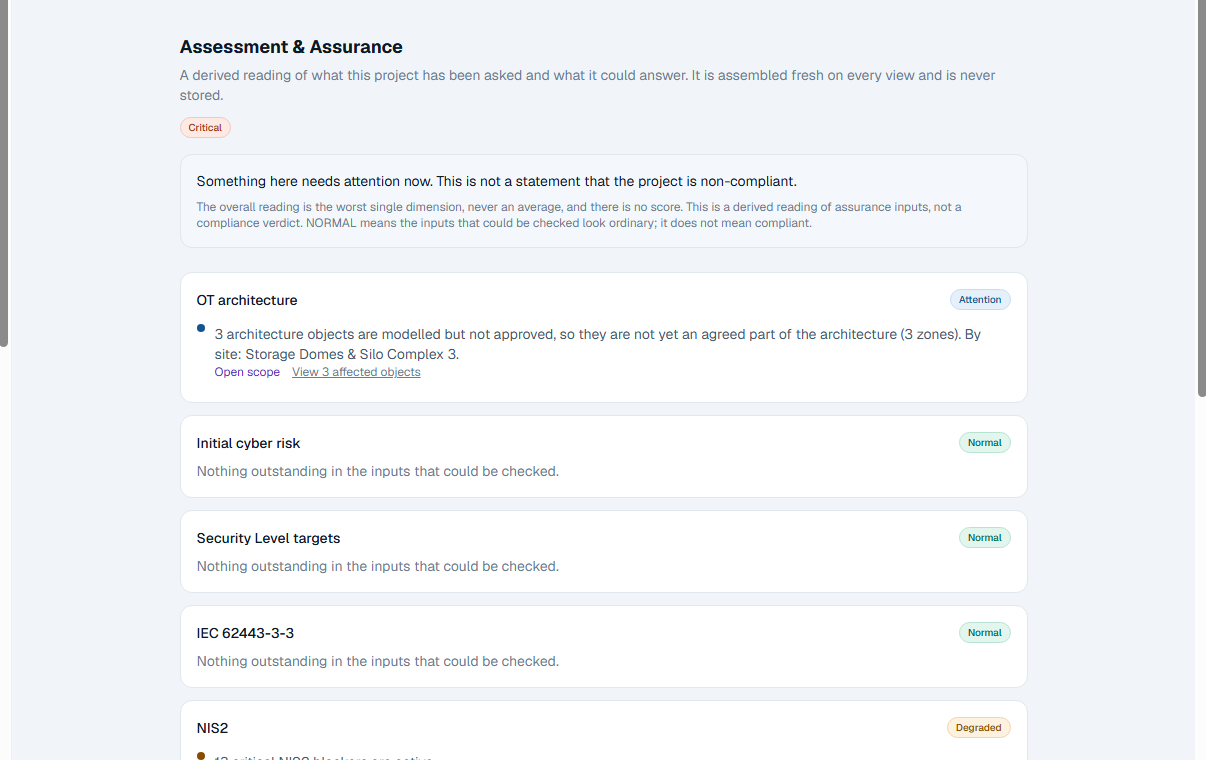
A terminal at the start of an OT security programme does not look finished, and a cockpit that made it look finished would be useless. Dimensions that cannot be established say so.
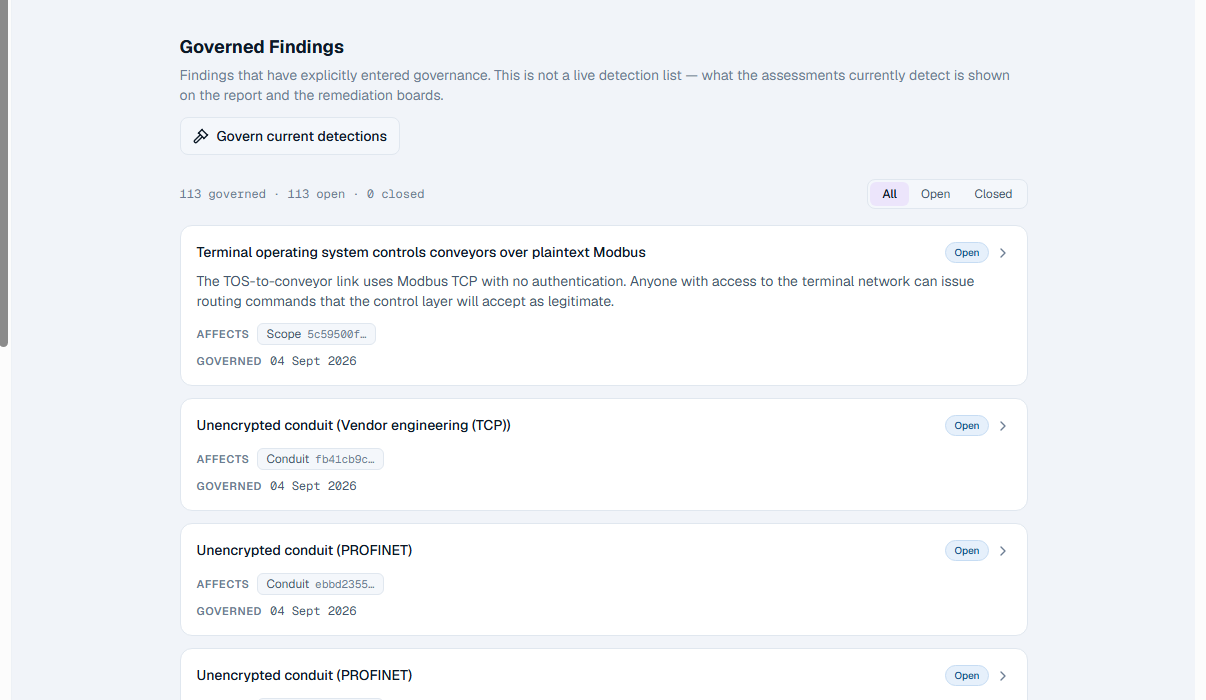
Findings
Named equipment, not "the terminal".
Every finding is attributed to the canonical object it concerns, so work can be planned around vessel schedules and reported against equipment rather than against the site as a whole.
Representative use cases
What terminals actually bring to it.
- Terminal operations end to end
- Quay to stockyard as a chain of zones, with the conduits that let one part command another.
- Ship-to-shore equipment
- Cranes and unloaders as their own zones, with the OEM paths that reach them written down.
- TOS and OT convergence
- What the terminal operating system is actually able to instruct, and over which protocol.
- Yard and conveying systems
- Distributed outdoor equipment, local cabinets, and the field devices behind them.
What this page does and does not claim.
One platform, configured for a terminal, with an accepted demo estate behind the screenshots. There is no ports edition and no terminal template. OTReady does not connect to your terminal operating system or your equipment, and changes nothing on the quay.
Where the detail lives
OT architecture
Sites, Zones, Conduits and the Channels inside them.
Findings and Evidence
One governed Finding model, and one canonical evidence artifact.
Reports
Issued, versioned records of where the terminal stood.
See OTReady against your own terminal.
A working session on your quay, your conveying chain and the systems that command them.